Self-initiated work: CIB did not commission this audit, and the redesign is my proposal.
The story behind it
It started as a customer’s frustration.
How did the idea come?
In 2022 I opened an account with CIB and started using its mobile app. Several UX and UI issues stood out, from visual inconsistencies to interaction flaws and confusing flows. As a product designer, I decided to study the experience end to end, name the core usability problems, and reimagine a more accessible, intuitive version.
The CIB app as I first used it.
Project summary
Where the app made banking harder, in three areas, and how I approached the fix.
The problem
The audit found friction in interaction feedback, navigation, visual hierarchy, and UX writing. Everyday tasks such as browsing services, transferring money, checking statements, or applying for products took more interpretation than they should.
The real problem was confidence: users needed clearer paths, clearer states, and fewer moments of doubt.
Visual friction
The background image competed with the interface, icons weren’t always clear, and the layout had no consistent grid, so spacing and hierarchy felt off. Low text contrast and inconsistent font sizes made the app hard to read, especially for people with low vision.
Interaction feedback
The app gave little feedback on taps, form entry, or swipes, so it felt unresponsive. Some error messages didn’t say what to do next, and standard controls like pickers and sliders didn’t behave the way mobile users expect.
Navigation clarity
Onboarding offered little guidance, the design language wasn’t consistent, key actions were hidden, and dense layouts were hard to scan. Together, they made simple tasks, like paying off a credit card, harder than they should be.
How I approached it
I ran the redesign as a structured UX audit of navigation, visual hierarchy, interaction feedback, accessibility, and microcopy. Every decision aimed to make everyday banking easier to predict and complete, especially for people who find financial interfaces complex.
Tools and practices
How I mapped, structured, and rebuilt the experience.
Tools
I mapped the original experience and its friction points in Miro, structured navigation and screen hierarchy in X-Mind, documented gaps and ideas in Notion, and built the redesign in Figma.
- Miro
- Figma
- Notion
- X-Mind
Practices
I started with short interviews with a few people I know who bank with CIB, to hear their pain points, then ran a detailed audit for interaction and accessibility issues. “How might we” questions turned the key problems into design opportunities, and information architecture principles shaped a smoother flow.
- User interviews
- UX Audit
- Information Architecture
- HMW
Old design
A snapshot of the original design and its core flaws.
Visual audit
A visual audit I call a “spider analysis”: each issue is mapped to a card that explains the problem.
Visuals (mobile)
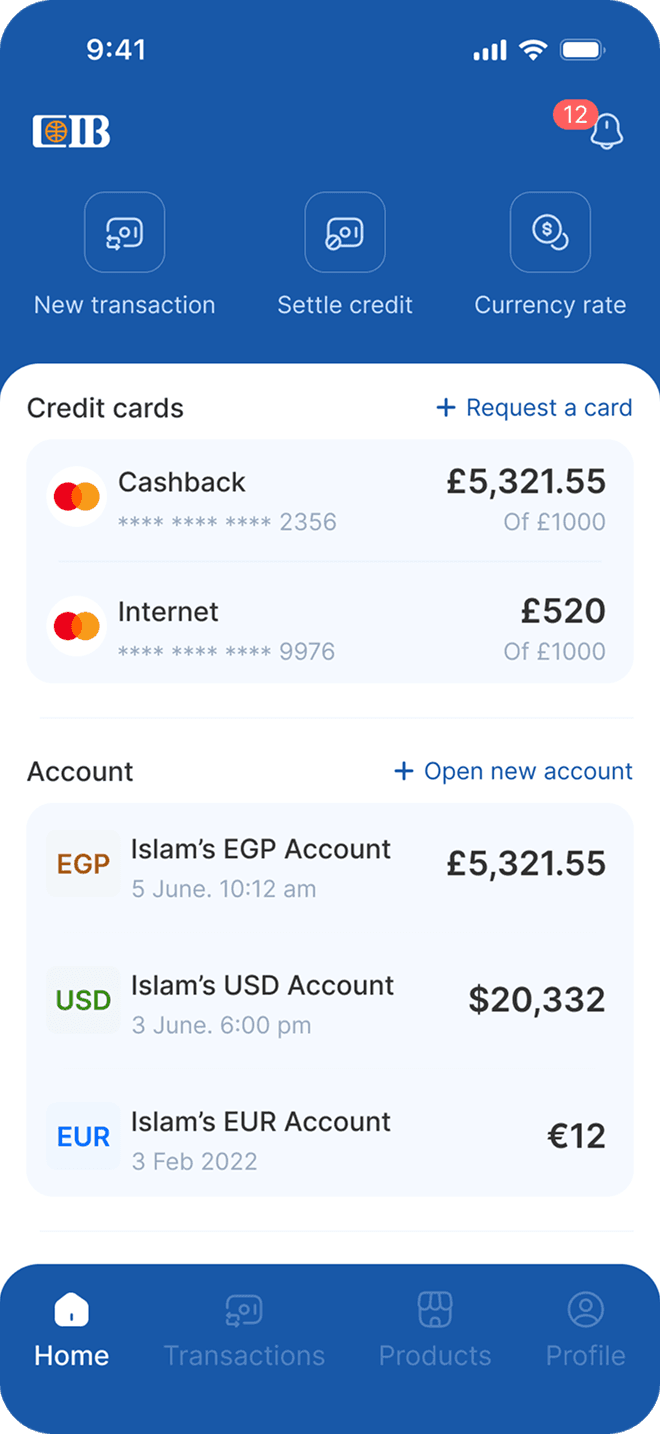
The redesigned app: clearer layouts, stronger hierarchy, and interactions that respond.
Onboarding
First impressions matter. The entry screens now guide new users from the first tap.
Onboarding, redesigned.
Main app sections
The four everyday areas, Home, Transactions, Products, and Profile, rebuilt around the tasks people come for.
Home, Transactions, Products and Profile.
Visuals (web)
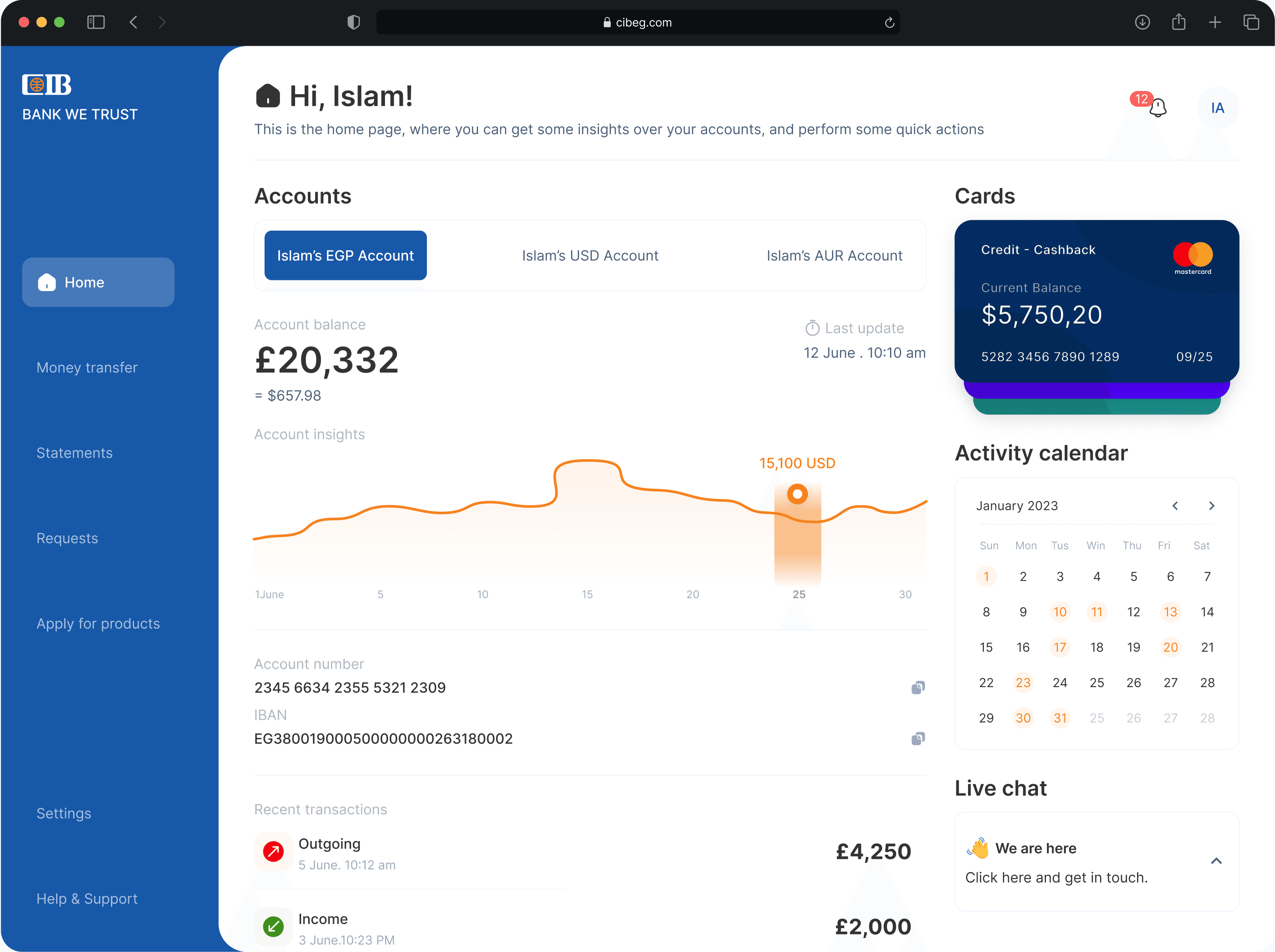
The same audit applied to online banking on the web.
Home
A quick overview of account balances, recent activity, and shortcuts to key banking actions, all in one place.
Money transfer
Transfers between accounts on one screen. A custom tab component handles the different transfer types without extra steps.
Statements
All transactions across accounts and cards in one clear view. It may go beyond what the bank supports today; as a proposal, I chose the better customer experience over current constraints.
Other screens
Learnings
What did I learn?
This project sharpened how I audit an existing product without treating it as a visual makeover.
From details to tasks. I learned to connect small usability issues, unclear states, weak contrast, dense layouts, and vague microcopy to the larger question: can users complete important banking tasks with confidence?
What went well?
The strongest part was turning the audit into clear design decisions.
What changed. The redesign improved navigation predictability, reduced visual competition, clarified task entry points, and made key flows easier to scan.
A reason for every change. The work felt stronger when every visual change had a usability reason behind it.
What could be improved?
If I revisited it, I would start from local constraints.
Local banking constraints. I would ground the audit in them from the beginning: regulatory limits, common support issues, accessibility requirements, and the real frequency of key tasks.
Easier to prioritize. That would make the recommendations easier to prioritize and less dependent on assumptions.
Working on something like this?
Let’s talk.